# Facebook API - Login 登入應用

facebook api 新手教學之 login 應用，請安心服用。

現在許多網站都具有 Facebook 登入方式，甚至連遊戲也是，

本篇紀錄從「申請應用程式服務」到基本的登入 API 編寫。

前置作業
----

1.  新增應用程式。
2.  編寫  Facebook SDK。

新增應用程式
------

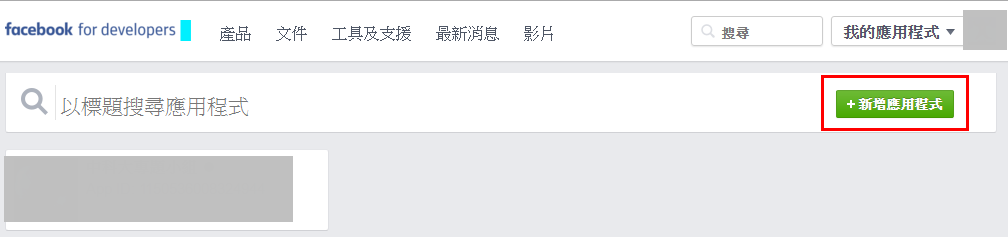
首先可到 facebook 的 [developers](https://developers.facebook.com/apps) 新增應用程式。

[![1460990573_87418.png](https://raw.githubusercontent.com/explooosion/blogs/refs/heads/main/docs/images/2016-04-18_Facebook%20API%20-%20Login%20%E7%99%BB%E5%85%A5%E6%87%89%E7%94%A8/1460990573_87418.png)](https://dotblogsfile.blob.core.windows.net/user/incredible/0dbce28d-2f5d-4f1d-ab8a-2e8de48a26a4/1460990573_87418.png)
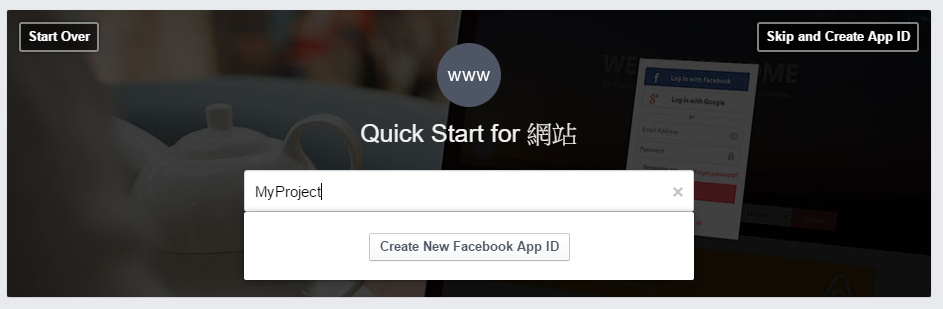
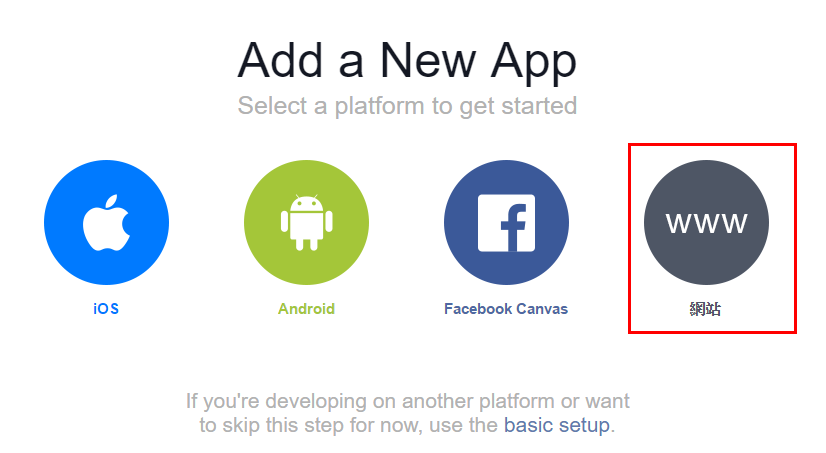
開發平台我們選擇網站。

[![1460990619_12103.png](https://raw.githubusercontent.com/explooosion/blogs/refs/heads/main/docs/images/2016-04-18_Facebook%20API%20-%20Login%20%E7%99%BB%E5%85%A5%E6%87%89%E7%94%A8/1460990619_12103.png)](https://dotblogsfile.blob.core.windows.net/user/incredible/0dbce28d-2f5d-4f1d-ab8a-2e8de48a26a4/1460990619_12103.png)
輸入應用程式名稱，點選「Create New Facebook App ID」。

[![1460990658_54673.png](https://raw.githubusercontent.com/explooosion/blogs/refs/heads/main/docs/images/2016-04-18_Facebook%20API%20-%20Login%20%E7%99%BB%E5%85%A5%E6%87%89%E7%94%A8/1460990658_54673.png)](https://dotblogsfile.blob.core.windows.net/user/incredible/0dbce28d-2f5d-4f1d-ab8a-2e8de48a26a4/1460990658_54673.png)

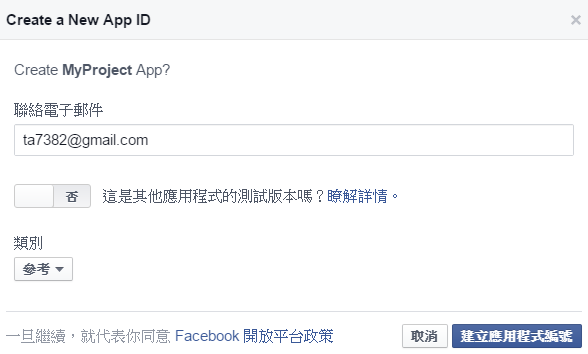
輸入電子郵件，選擇參考，

因為是新建立，故測試版本保持「否」。

[![1460990798_80444.png](https://raw.githubusercontent.com/explooosion/blogs/refs/heads/main/docs/images/2016-04-18_Facebook%20API%20-%20Login%20%E7%99%BB%E5%85%A5%E6%87%89%E7%94%A8/1460990798_80444.png)](https://dotblogsfile.blob.core.windows.net/user/incredible/0dbce28d-2f5d-4f1d-ab8a-2e8de48a26a4/1460990798_80444.png)

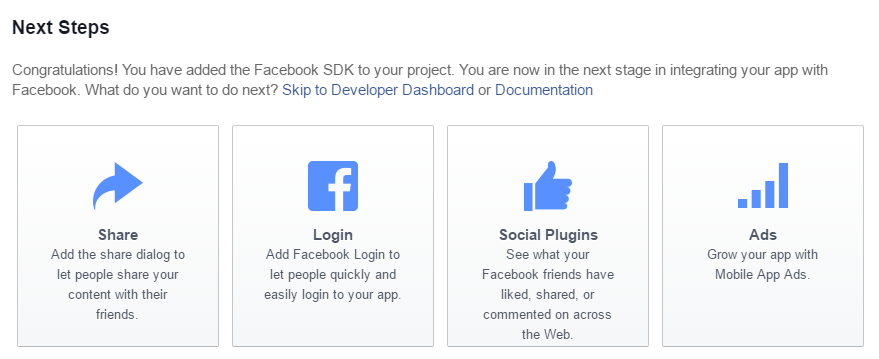
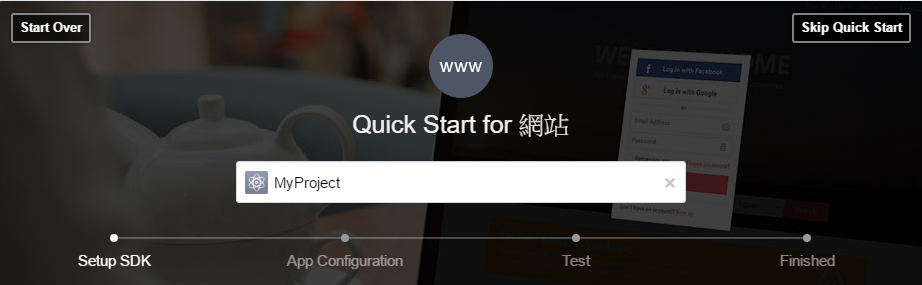
完成建立後可看到進度「Setup SDK」

[![1460990892_10683.png](https://raw.githubusercontent.com/explooosion/blogs/refs/heads/main/docs/images/2016-04-18_Facebook%20API%20-%20Login%20%E7%99%BB%E5%85%A5%E6%87%89%E7%94%A8/1460990892_10683.png)](https://dotblogsfile.blob.core.windows.net/user/incredible/0dbce28d-2f5d-4f1d-ab8a-2e8de48a26a4/1460990892_10683.png)
網頁編寫
----

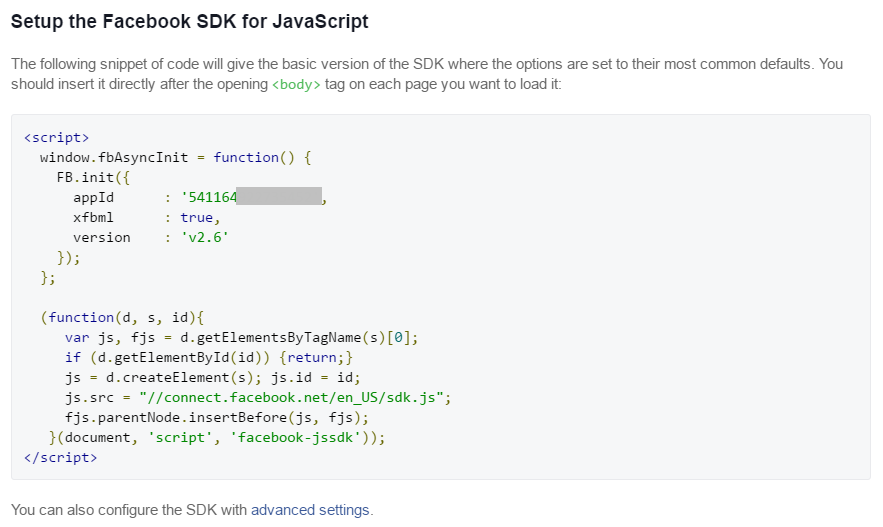
捲下來看，可看到基本的 Facebook SDK JS。

[![1460990985_84808.png](https://raw.githubusercontent.com/explooosion/blogs/refs/heads/main/docs/images/2016-04-18_Facebook%20API%20-%20Login%20%E7%99%BB%E5%85%A5%E6%87%89%E7%94%A8/1460990985_84808.png)](https://dotblogsfile.blob.core.windows.net/user/incredible/0dbce28d-2f5d-4f1d-ab8a-2e8de48a26a4/1460990985_84808.png)

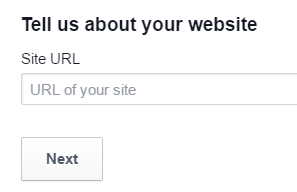
下方輸入要嵌入 Facebook SDK 的網站。

若為本機測試，可輸入 [http://localhost/](http://localhost/)
![1460991037_93026.png](https://raw.githubusercontent.com/explooosion/blogs/refs/heads/main/docs/images/2016-04-18_Facebook%20API%20-%20Login%20%E7%99%BB%E5%85%A5%E6%87%89%E7%94%A8/1460991037_93026.png)

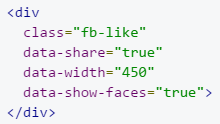
完成後會跳出 fb 按讚留言的 div

![1460991107_6827.png](https://raw.githubusercontent.com/explooosion/blogs/refs/heads/main/docs/images/2016-04-18_Facebook%20API%20-%20Login%20%E7%99%BB%E5%85%A5%E6%87%89%E7%94%A8/1460991107_6827.png)

建立一個空白網頁，並將剛剛 JS 及 div 加入於內容中

即可建立一個簡易讚 + 分享 的功能。

![1460991338_56984.png](https://raw.githubusercontent.com/explooosion/blogs/refs/heads/main/docs/images/2016-04-18_Facebook%20API%20-%20Login%20%E7%99%BB%E5%85%A5%E6%87%89%E7%94%A8/1460991338_56984.png)

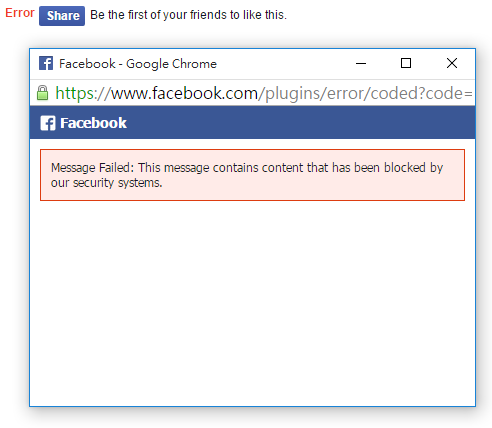
若為本機測試，在「Like」部份則可能會有點問題

![1460991771_97137.png](https://raw.githubusercontent.com/explooosion/blogs/refs/heads/main/docs/images/2016-04-18_Facebook%20API%20-%20Login%20%E7%99%BB%E5%85%A5%E6%87%89%E7%94%A8/1460991771_97137.png)

以上測試順利後，選擇「 Login」查看文件。

[![1460991846_55178.png](https://raw.githubusercontent.com/explooosion/blogs/refs/heads/main/docs/images/2016-04-18_Facebook%20API%20-%20Login%20%E7%99%BB%E5%85%A5%E6%87%89%E7%94%A8/1460991846_55178.png)](https://dotblogsfile.blob.core.windows.net/user/incredible/0dbce28d-2f5d-4f1d-ab8a-2e8de48a26a4/1460991846_55178.png)

登入 Login
--------

進入頁面後，可從「快速入門」著手，並將範例程式碼編寫於網頁中。

```html
<!DOCTYPE html>
<html>
<head>
<title>Facebook Login JavaScript Example</title>
<meta charset="UTF-8">
</head>
<body>
<script>
  // This is called with the results from from FB.getLoginStatus().
  function statusChangeCallback(response) {
    console.log('statusChangeCallback');
    console.log(response);
    // The response object is returned with a status field that lets the
    // app know the current login status of the person.
    // Full docs on the response object can be found in the documentation
    // for FB.getLoginStatus().
    if (response.status === 'connected') {
      // Logged into your app and Facebook.
      testAPI();
    } else if (response.status === 'not_authorized') {
      // The person is logged into Facebook, but not your app.
      document.getElementById('status').innerHTML = 'Please log ' +
        'into this app.';
    } else {
      // The person is not logged into Facebook, so we're not sure if
      // they are logged into this app or not.
      document.getElementById('status').innerHTML = 'Please log ' +
        'into Facebook.';
    }
  }

  // This function is called when someone finishes with the Login
  // Button.  See the onlogin handler attached to it in the sample
  // code below.
  function checkLoginState() {
    FB.getLoginStatus(function(response) {
      statusChangeCallback(response);
    });
  }

  window.fbAsyncInit = function() {
  FB.init({
    appId      : '{your-app-id}',
    cookie     : true,  // enable cookies to allow the server to access 
                        // the session
    xfbml      : true,  // parse social plugins on this page
    version    : 'v2.2' // use version 2.2
  });

  // Now that we've initialized the JavaScript SDK, we call 
  // FB.getLoginStatus().  This function gets the state of the
  // person visiting this page and can return one of three states to
  // the callback you provide.  They can be:
  //
  // 1. Logged into your app ('connected')
  // 2. Logged into Facebook, but not your app ('not_authorized')
  // 3. Not logged into Facebook and can't tell if they are logged into
  //    your app or not.
  //
  // These three cases are handled in the callback function.

  FB.getLoginStatus(function(response) {
    statusChangeCallback(response);
  });

  };

  // Load the SDK asynchronously
  (function(d, s, id) {
    var js, fjs = d.getElementsByTagName(s)[0];
    if (d.getElementById(id)) return;
    js = d.createElement(s); js.id = id;
    js.src = "//connect.facebook.net/en_US/sdk.js";
    fjs.parentNode.insertBefore(js, fjs);
  }(document, 'script', 'facebook-jssdk'));

  // Here we run a very simple test of the Graph API after login is
  // successful.  See statusChangeCallback() for when this call is made.
  function testAPI() {
    console.log('Welcome!  Fetching your information.... ');
    FB.api('/me', function(response) {
      console.log('Successful login for: ' + response.name);
      document.getElementById('status').innerHTML =
        'Thanks for logging in, ' + response.name + '!';
    });
  }
</script>

<!--
  Below we include the Login Button social plugin. This button uses
  the JavaScript SDK to present a graphical Login button that triggers
  the FB.login() function when clicked.
-->

<fb:login-button scope="public_profile,email" onlogin="checkLoginState();">
</fb:login-button>

<div id="status">
</div>

</body>
</html>
```


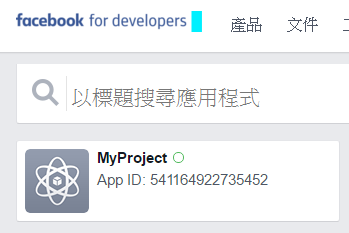
在 appId 中： { your-app-id } ，為本應用程式的應用程式編號，可回到[應用程式專區](https://developers.facebook.com/apps)查看。

```javascript
window.fbAsyncInit = function() {
  FB.init({
    appId      : '{your-app-id}',
    cookie     : true,  // enable cookies to allow the server to access 
                        // the session
    xfbml      : true,  // parse social plugins on this page
    version    : 'v2.2' // use version 2.2
  });
```
![1460992311_73001.png](https://raw.githubusercontent.com/explooosion/blogs/refs/heads/main/docs/images/2016-04-18_Facebook%20API%20-%20Login%20%E7%99%BB%E5%85%A5%E6%87%89%E7%94%A8/1460992311_73001.png)

完成後即可看到 Log In 按鈕。

![1460992583_20485.png](https://raw.githubusercontent.com/explooosion/blogs/refs/heads/main/docs/images/2016-04-18_Facebook%20API%20-%20Login%20%E7%99%BB%E5%85%A5%E6%87%89%E7%94%A8/1460992583_20485.png)

在網頁載時，會先執行 FB.getLoginStatus，

並且進入 statusChangeCallback 這個 function

```javascript
FB.getLoginStatus(function(response) {
    statusChangeCallback(response);
});
```

若要讓使用者登出，FB.logout 即可。

```javascript
FB.logout(function(response) {
                    // user is now logged out
                    alert('已成功登出!');
                    window.location.reload();
                });
```

有勘誤之處，不吝指教。ob'\_'ov