# Angular - ngFor trackby
針對 angular(angular2)中 \*ngFor 補充說明。
一、前言
----
最近在搞 angular 的 ngFor 十分苦惱,
搞了很久總算稍微釐清一點。
二、ngFor
-------
在 angular 的 ngFor 中,我們常常這樣寫
【TypeScript】
```typescript
private items = [];
constructor() {
this.items= [{ name: 'work' }, { name: 'sport' }, { name: 'learn' }];
}
```
【View】
```html
```
【Result 】
```html
work
sport
learn
```
但為什麼要多個\*呢?
為了釐清這個問題,找尋了許多資源 QQ
所謂的 \*ngFor 是簡寫語法糖,即簡寫語法。其展開後如下:
【View】
```html
```
ngFor 可以看成三大塊,最前面的部分沒什麼問題,即從 items 集合中取出至 item,
而最後面的部份其實就是 key 值,例如我們在 li 的部分追加:
【View】
```html
{{ i }} - {{ item.name }}
```
就會取得該項次的索引值:
【Result 】
```
0 - work
1 - sport
2 - learn
```
而 ngForTrackBy 是什麼呢 ?
顧名思義跟索引有關係,能夠告知目前的資料流結構等等。
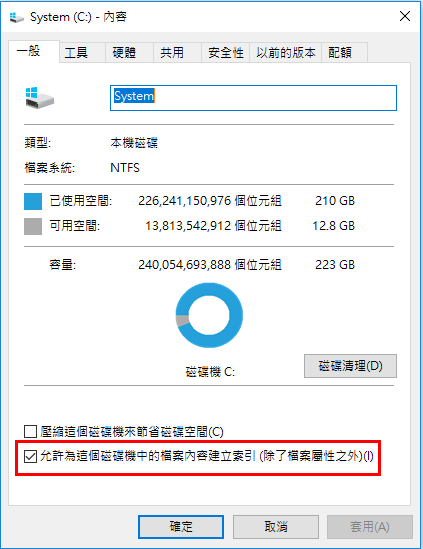
個人另一種想法就是跟我們常見的磁碟機的索引是一樣的。
三、不使用 ngForTrackBy
------------------
而這個要如何使用呢,實際上這已經屬於 **performance** 的層級了!
首先我們試著寫出動態新增,當按鈕點擊時,讓 items 再增加資料:
【View】
```html
```
【TypeScript】
```typescript
export class TodoItemsComponent {
private items = [];
constructor() {
this.items = [{ name: 'Work' }, { name: 'Sport' }, { name: 'Learn' }];
}
getItems() {
this.items = this.getItemsFromServer();
}
getItemsFromServer() {
return [{ name: 'Work' }, { name: 'Sport' }, { name: 'Learn' }, { name: 'Class' }, { name: 'Game' }, { name: 'Sleep' }, { name: 'Teach' }];
}
}
```
當 click event 觸發,getItems() 會重新取得資料,
這邊的 getItemsFromServer() 就是從資料庫中取得資料,
像是我們常用的資料重載刷新、搜尋功能,或是搭配 ajax 等等。
因此 getItemsFromServer 回傳了一串新資料(假的資料喇!),
並且指定給 items 集合,如此一來就可以實現動態新增。
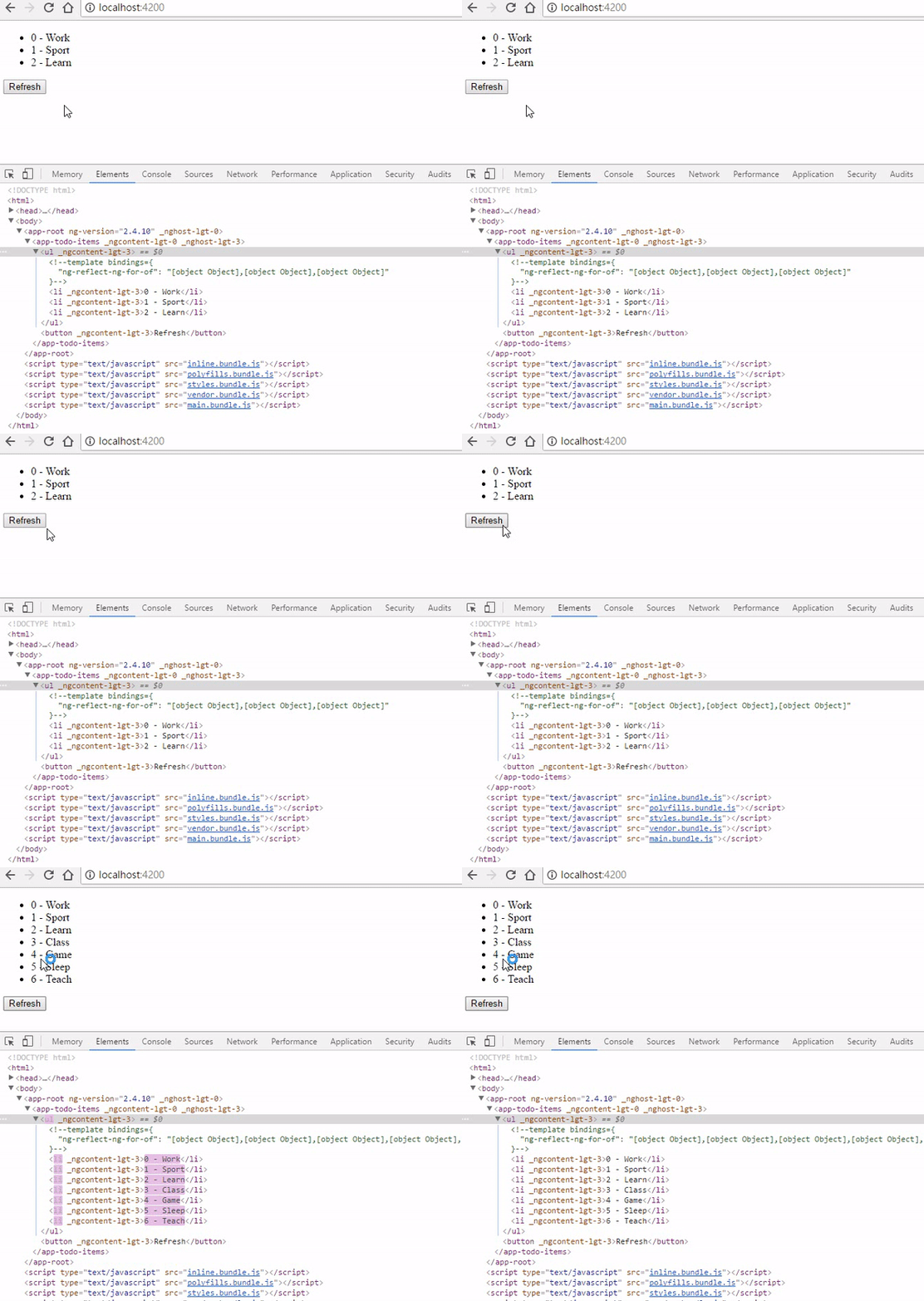
執行結果看起來很正常,沒什麼特別的,畫面如下:
【Result 】
[](https://dotblogsfile.blob.core.windows.net/user/incredible/15df1082-d5e7-4967-9033-24ae5683bef7/1493407970_8119.gif)
三、使用 ngForTrackBy
-----------------
接下來我們改使用 trackby,增加我們的 ngFor 參數。
\[ngForTrackBy\]="trackByFn"
【View】
```html
```
【TypeScript】
```typescript
export class TodoItemsComponent {
private items = [];
constructor() {
this.items = [{ name: 'Work' }, { name: 'Sport' }, { name: 'Learn' }];
}
trackByFn(index, item) {
return index; // or item.name
}
getItems() {
this.items = this.getItemsFromServer();
}
getItemsFromServer() {
return [{ name: 'Work' }, { name: 'Sport' }, { name: 'Learn' }, { name: 'Class' }, { name: 'Game' }, { name: 'Sleep' }, { name: 'Teach' }];
}
}
```
當執行 ngFor 的時候,ngForTrackBy 會執行 function,
trackByFn() 返回 index 作為 track,埋下日後不可挽回種子的感覺 ob'\_'ov (欸這裡是好事啊啊啊)
執行結果看起來很正常,沒什麼特別的......
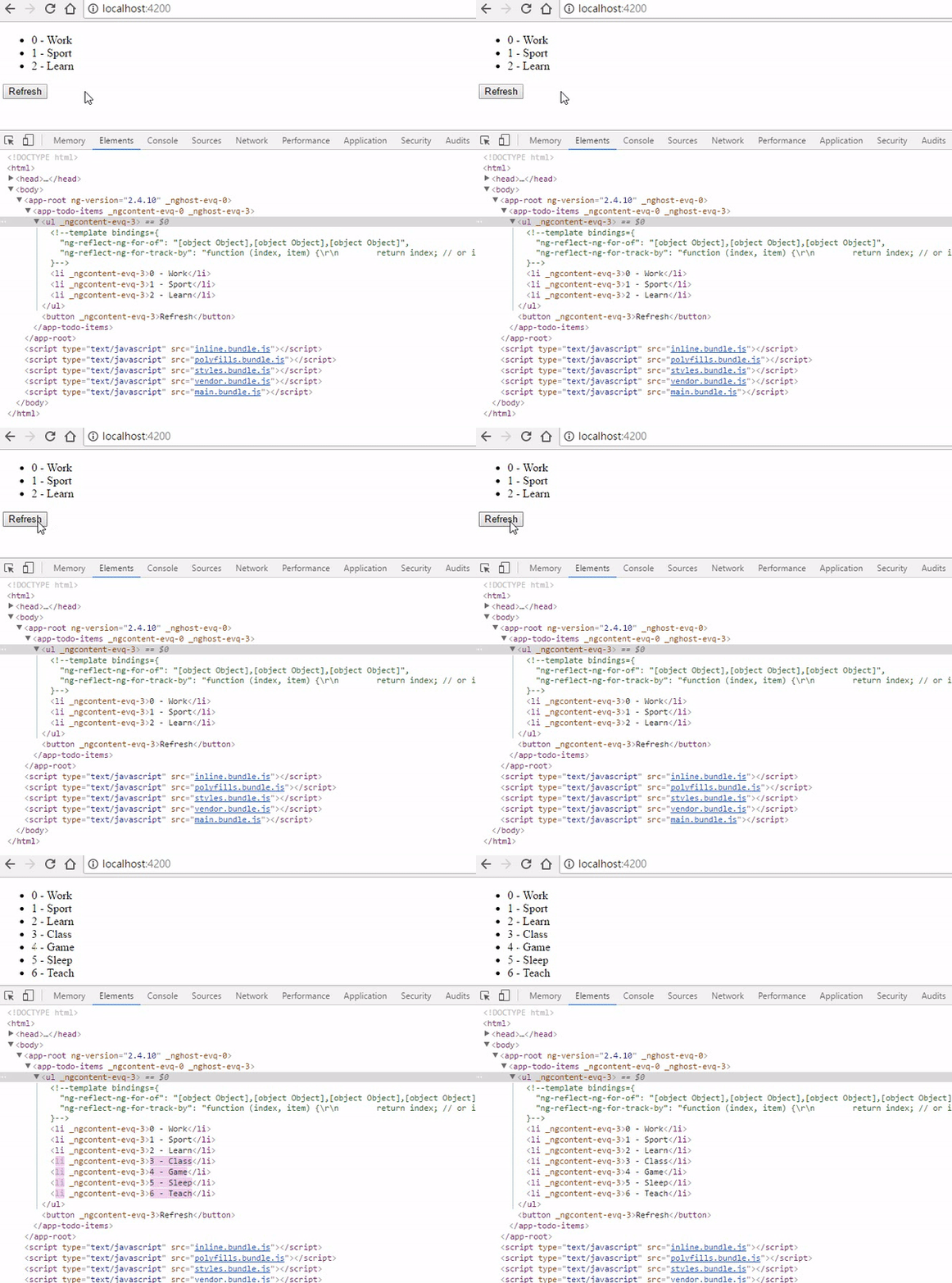
在 debug mode 中也可以看到註解的:
"ng-reflect-ng-for-track-by": "function (index, item) {\\r\\n return index; // or item.id\\r\\n }"
[](https://dotblogsfile.blob.core.windows.net/user/incredible/15df1082-d5e7-4967-9033-24ae5683bef7/1493408347_96578.gif)
真的只是這樣嗎?
請仔細看看 debug mode 中的 elements 區塊!!
是否有發現,既有的 DOM 不會被 **refresh**,在取得新資料後,只有 key 3~6 被載入,
而原本的 0~2 不會因為 ngFor 的重新執行,導致被移除於DOM之外。
四、使用 \*ngFor
-------------
上述發現差異後,我們趕緊回來使用較為簡潔的寫法 \*ngFor,
其大同小異,ngForTrackBy 改以使用 trackBy。
```html
```
五、結論
----
個人認為,非特定的資料不一定要使用 trackby,
但清單若會因為一些邏輯功能,使得資料不斷的 reload,
對於 trackby 的使用,就十分重要了。
參考資料:
1. [\[译\]Angular2新人常犯的5个错误](https://leftstick.github.io/tech/2016/04/19/5-rookie-mistakes-to-avoid-with-angular-2)
2. [5 Rookie Mistakes to Avoid with Angular 2](http://angularjs.blogspot.tw/2016/04/5-rookie-mistakes-to-avoid-with-angular.html)
3. [angular.io](https://angular.io/docs/ts/latest/guide/template-syntax.html#!#ngFor)
4. [Angular 2 — Improve performance with trackBy](https://netbasal.com/angular-2-improve-performance-with-trackby-cc147b5104e5)
備註:
本篇範例部分修改自 - [Angular 2 — Improve performance with trackBy](https://netbasal.com/angular-2-improve-performance-with-trackby-cc147b5104e5)
有勘誤之處,不吝指教。ob'\_'ov